

In this tutorial we will learn How to use signal and slots in qt.
File->New File or Project…
Applications->Qt Gui Application->Choose…
We keep the class as MainWindow as given by default.
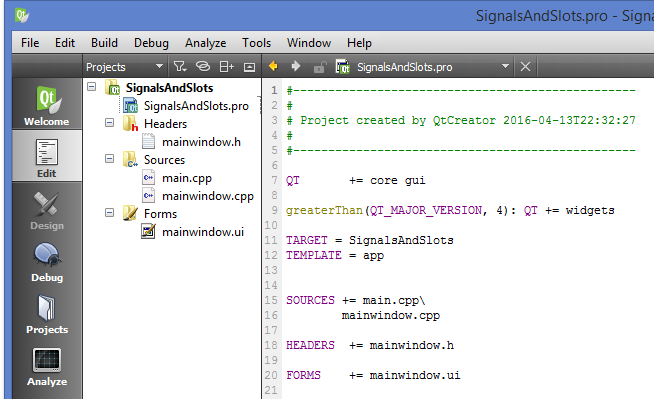
SignalsAndSlots.pro
#-------------------------------------------------
#
# Project created by QtCreator 2016-04-13T22:32:27
#
#-------------------------------------------------

QT       += core gui

greaterThan(QT_MAJOR_VERSION, 4): QT += widgets

TARGET = SignalsAndSlots
TEMPLATE = app


SOURCES += main.cpp\
        mainwindow.cpp

HEADERS  += mainwindow.h

FORMS    += mainwindow.ui
mainwindow.h
#ifndef MAINWINDOW_H
#define MAINWINDOW_H

#include <QMainWindow>

namespace Ui {
class MainWindow;
}

class MainWindow : public QMainWindow
{
    Q_OBJECT

public:
    explicit MainWindow(QWidget *parent = 0);
    ~MainWindow();

private:
    Ui::MainWindow *ui;
};

#endif // MAINWINDOW_H
mainwindow.cpp
#include "mainwindow.h"
#include "ui_mainwindow.h"

MainWindow::MainWindow(QWidget *parent) :
    QMainWindow(parent),
    ui(new Ui::MainWindow)
{
    ui->setupUi(this);
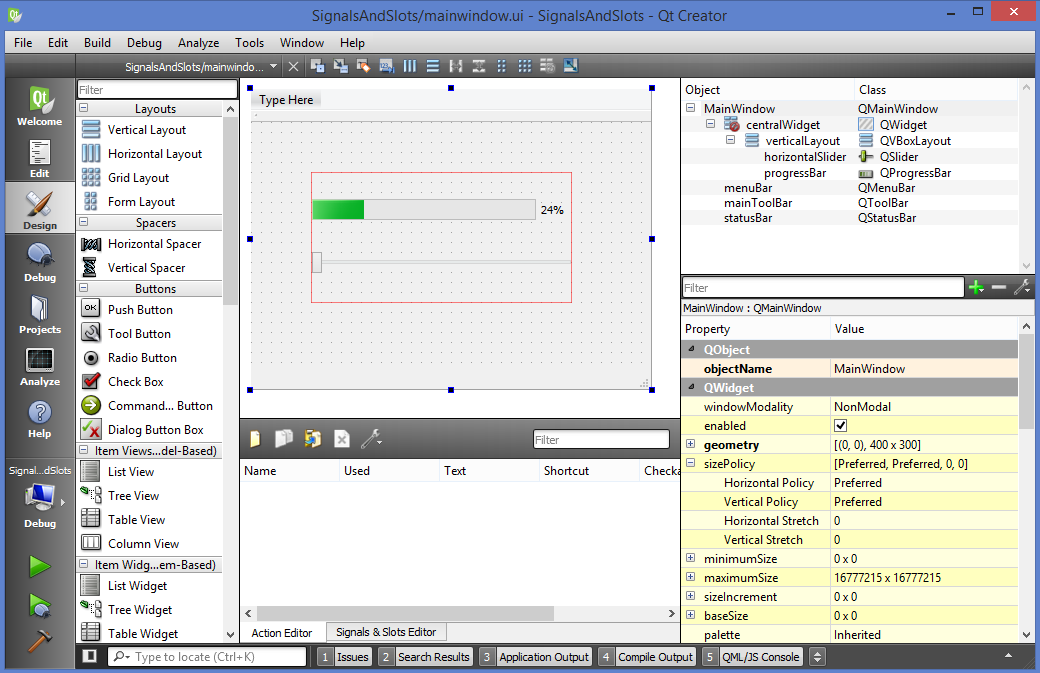
    connect(ui->horizontalSlider,SIGNAL(valueChanged(int)),
            ui->progressBar,SLOT(setValue(int)));
    disconnect(ui->horizontalSlider,SIGNAL(valueChanged(int)),
            ui->progressBar,SLOT(setValue(int)));
}

MainWindow::~MainWindow()
{
    delete ui;
}
main.cpp
#include "mainwindow.h"
#include <QApplication>

int main(int argc, char *argv[])
{
    QApplication a(argc, argv);
    MainWindow w;
    w.show();

    return a.exec();
}
Sir, can u provide me the code or tutorial for making a drag and droppable QtextEdit in QT, which can also be resized manually by the user according to his/her need. I searched it many times but couldn’t find it.
why the disconnect right after the connect??