

QT Font Dialog Demo
In this lesson we will learn how to use QFontDialog in qt.
The QFontDialog class provides a dialog widget for selecting a font
File->New File or Project…
Applications->Qt Gui Application->Choose…
We keep the class as MainWindow as given by default.
Now write the code shown below in main.cpp
// QFontDialogTester Demo by Codebind.com

#include <QApplication>
#include <QDebug>
#include <QFontDialog>

class QFontDialogTester : public QWidget
{
public:
  void onFont()
  {
    bool ok;
    QFont font = QFontDialog::getFont(
                    &ok,
                    QFont( "Arial", 18 ),
                    this,
                    tr("Pick a font") );
    if( ok )
    {
      qDebug() << "font           : " << font;
      qDebug() << "font weight    : " << font.weight();
      qDebug() << "font family    : " << font.family();
      qDebug() << "font style     : " << font.style();  //  StyleNormal = 0, StyleItalic = 1, StyleOblique = 2
      qDebug() << "font pointSize : " << font.pointSize();
    }
  }

};

int main( int argc, char **argv )
{
  QApplication app( argc, argv );
  QFontDialogTester font_test;
  font_test.onFont();
  return 0;
}
Output GUI
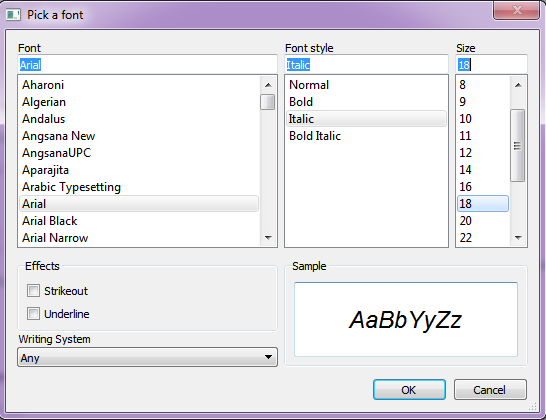
Output on console
font           :  QFont( "Arial,18,-1,5,50,1,0,0,0,0" )
font weight    :  50
font family    :  "Arial"
font style     :  1
font pointSize :  18
Leave a Reply